

CLI and Autonomous Project Navigation
Setting up Claude Code as a workflow extension. Learning how to ask the agent to map API calls, identify deprecated functions, or describe the structure of an unknown repository in a matter of seconds.

3 - 6 Hours 4 Modules
Main Topic: AI for Developers
Workload: 3 - 6 Hours
Level: Advanced
Target Audience: Software Developers, DevOps Engineers, and Architects
Setting up Claude Code as a workflow extension. Learning how to ask the agent to map API calls, identify deprecated functions, or describe the structure of an unknown repository in a matter of seconds.

Diving into the inner workings of the tool. How Claude executes the three phases — gathering files, editing code, and running automatic tests. The student will learn to intervene and guide the agent during the loop to ensure results align with the desired architecture.

Strategies for major code changes. The challenge is to use the agent to update libraries throughout the project and convert modules between different languages or versions while maintaining functional consistency.

The student will learn to provide log files to Claude Code so that it can correlate error messages with the source code, identify the root cause of the problem, and propose a tested fix autonomously.
When you give Claude a task, it works through three phases: gathering context, taking action and verifying results. Those phases blend into each other. Claude uses tools throughout, whether searching files to understand your code, editing to make changes or running tests to check its work.
The loop adapts to what you ask. A question about your codebase may need only context gathering. A bug fix goes through all three phases repeatedly. A refactor may involve extensive verification. Claude decides what each step requires based on what it learned in the previous one, chaining dozens of actions and correcting itself along the way.
You are part of this loop too. You can interrupt at any point to steer Claude in a different direction, provide extra context or ask it to try another approach. Claude works autonomously, but stays responsive to your input.
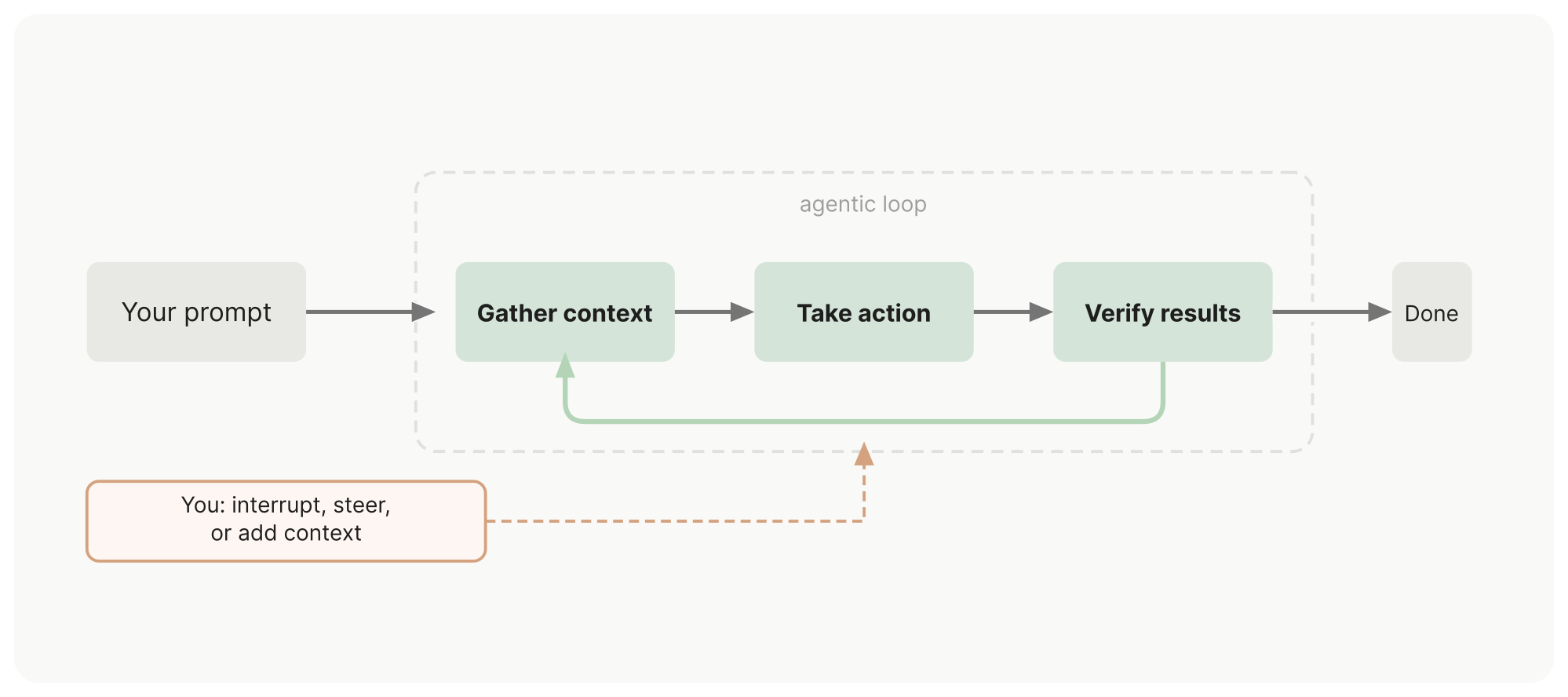 Image taken from the documentation code.claude.com